الباقات
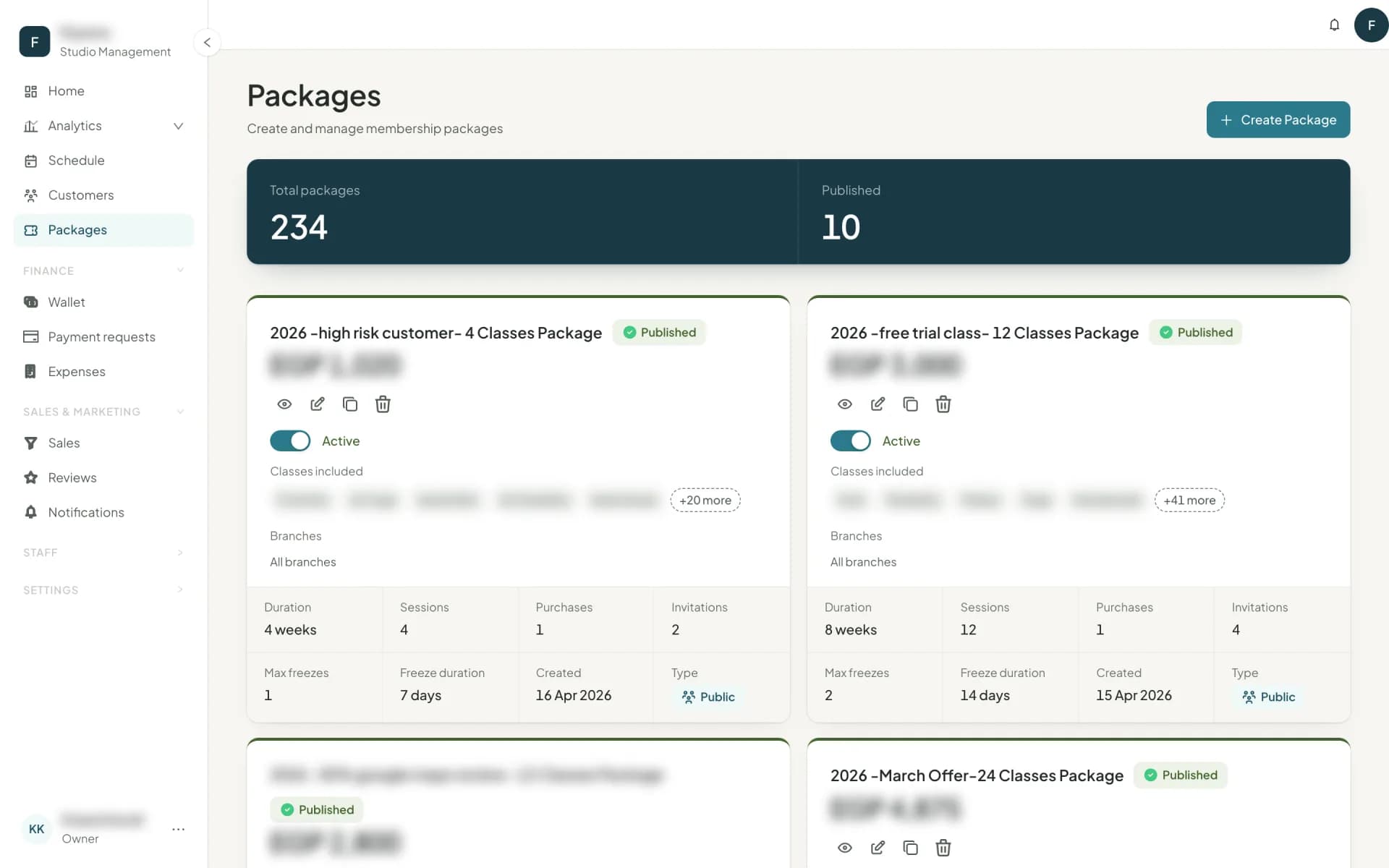
Build what you sell — number of classes, validity, class coverage, guest invitations and freeze allowance — then publish it.
A package is your product: what a customer gets, for how long, at what price.
The fields
| Field | What it means |
|---|---|
| Package name | What customers see. |
| Price | What it costs. |
| Package duration | How long it is valid once it starts, in weeks. |
| When does the package start? | At the first booking or automatically N days after purchase, whichever comes first — or on a set date. See when a package starts. |
| Number of classes | How many classes it includes. |
| Select classes for this package | Which class families it pays for. This is what turns one price list into a product range. |
| Number of invitations | Guest passes the customer can give friends — and the engine of your referrals. |
| Freeze action limit | How many times it can be paused. Starts at the studio default from Company details. |
| Max freeze duration | The most days a single pause gives back at the end. Also starts at the studio default. |
| Package type | Group package, Private package or Semi-private package. A package pays only for sessions of its own type. A semi-private package isn't tied to one circle, only to class types: see semi-private circles. |
| Only for promotions | Customers never see it on sale; a promotion offers it to the customers you choose. Switching it on adds Normal price — optional, shown crossed out beside the price so customers see what they save. |
Draft, then publish
Every package starts as a draft — Drafted on its card: editable, not sellable. Create and publish or Create as a draft — and a published package can be activated and deactivated to take it off the price list without deleting its history.
Delete removes a package for good, after a confirmation — but only one nobody has bought, asked to pay for by transfer, or been offered in a promotion. For any other, Owelz refuses and suggests deactivating it instead.
Already have a price list in a spreadsheet? Import on the Packages page brings it in.
Duplicate is how a price list evolves: copy last season's 8-class package, change the price, publish the new one, deactivate the old one. Customers on the old one keep exactly what they bought.
Package details
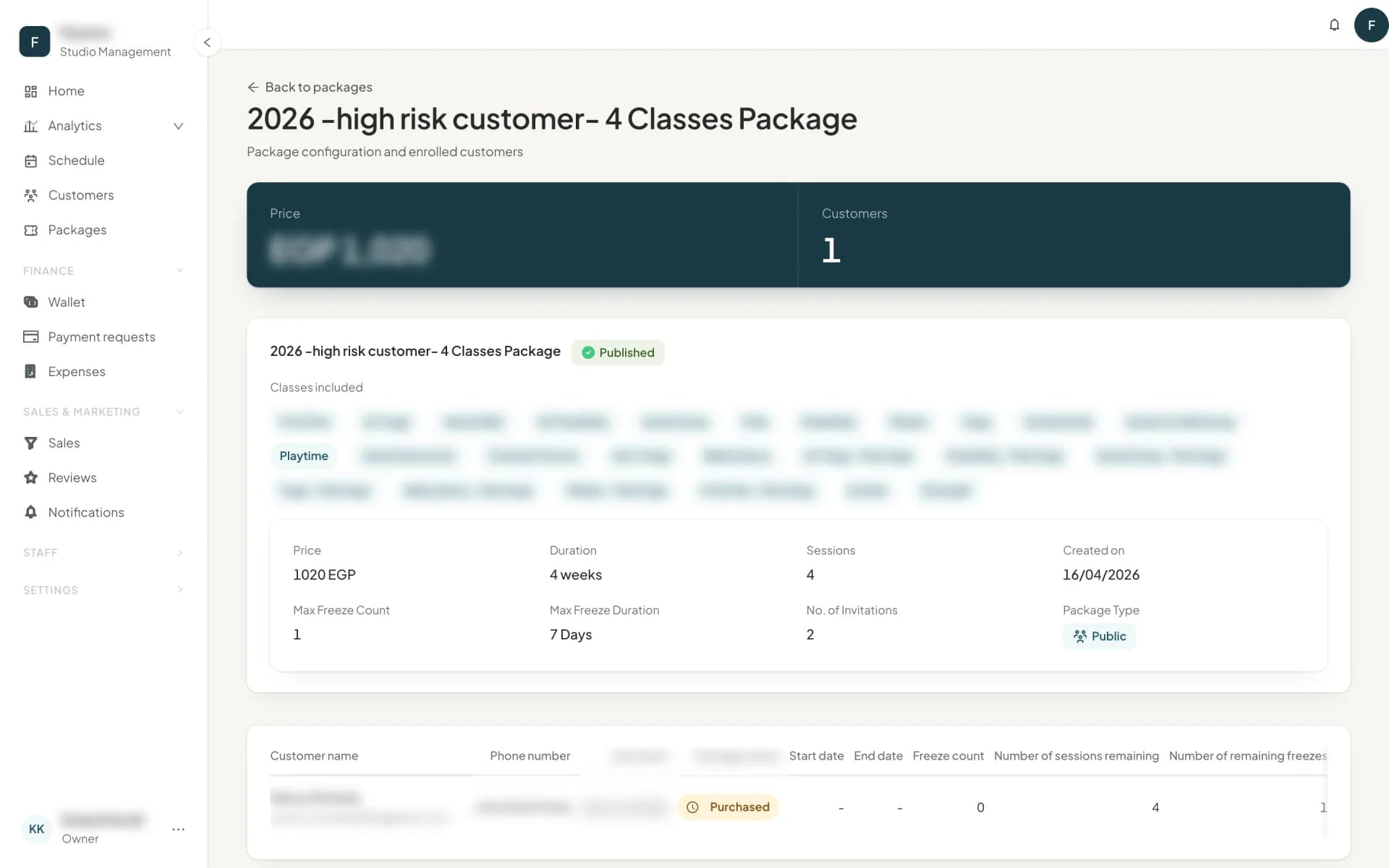
Opening a package shows its configuration and, underneath, every customer enrolled: their package status, start and end dates, freeze count, classes left, freezes remaining and invitations remaining. You can add a package or a session to any of them from that table.
Designing a price list that reports well
- Two or three tiers, not nine. Analytics → Packages shows what sells, what gets used and what expires unused. That table is unreadable with nine near-identical products.
- Make the class coverage do the work. "8 Reformer" and "8 anything" at different prices is a clearer range than eight session counts.
- Watch classes lost to expiry. A package where customers routinely lose unused classes is priced or dated wrong — and it is the single loudest churn signal in the product.
Next
When its clock starts: when a package starts →
أسئلة شائعة
- What is the difference between a drafted and a published package?
- A drafted package can still be edited and cannot be sold. Publishing makes it sellable; after that, edits affect new purchases only.
- Why can't I delete a package?
- A package can be deleted only if nobody has bought it, asked to pay for it by transfer, or been offered it in a promotion. Otherwise deactivate it to take it off sale; its history stays.
- Can I limit a package to one branch?
- No. Every package works at every branch of your studio, so a customer can book with it wherever the class is. The branch a package was sold at is still recorded, for your revenue by branch.
آخر تحديث 7 نوفمبر 2026