
Roles and permissions
One role per admin, one checklist per role. Build a front desk that can book and check in without ever seeing the wallet, payroll or your margins.
Staff → Roles & access is where you decide who sees what. The model is deliberately small: one role per admin, one checklist per role.
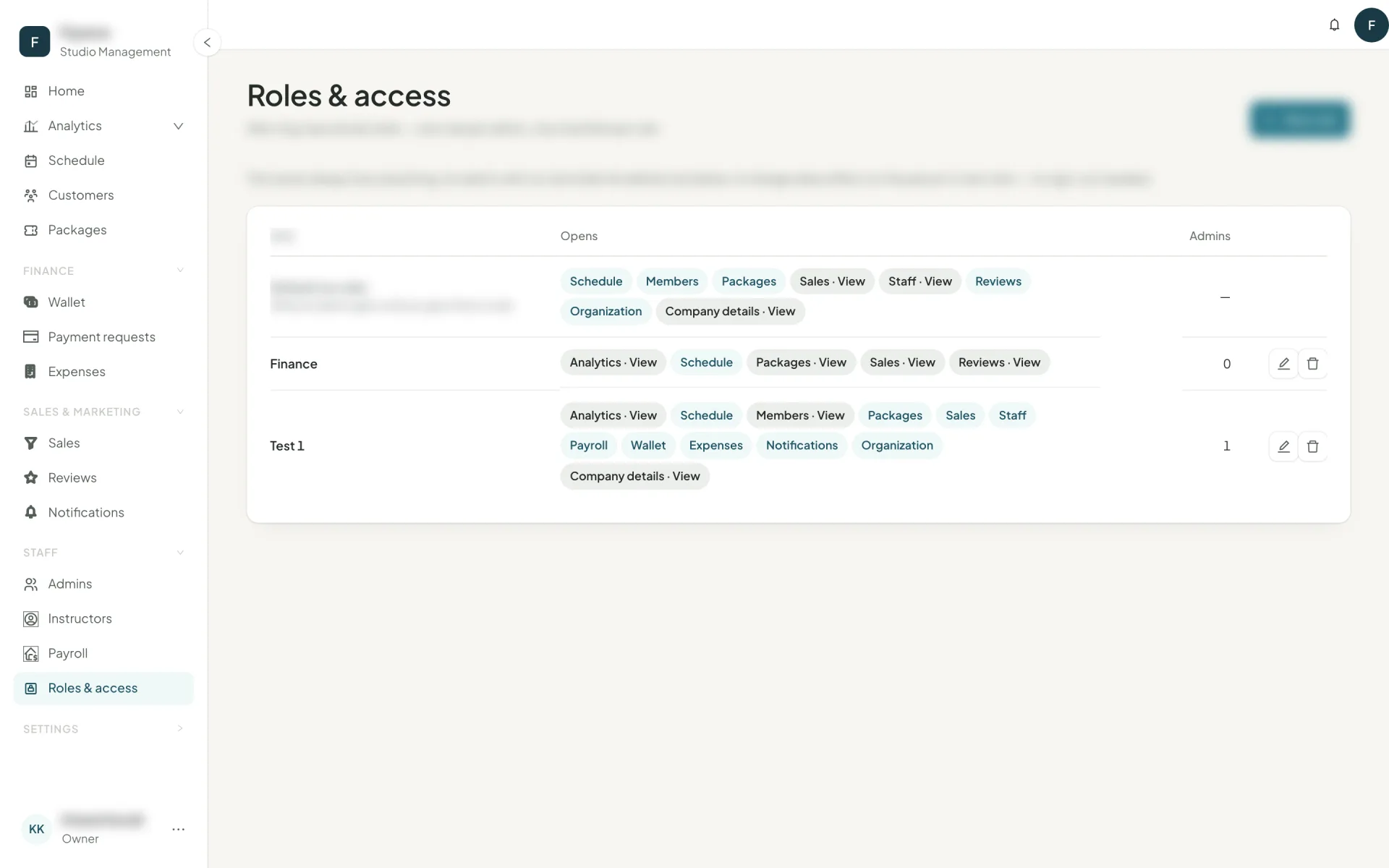
View and Manage
Every module has two levels:
- View — can open the page and read it.
- Manage — can change things. Manage always includes View, which is why turning Manage on locks View on.
| Module | View | Manage |
|---|---|---|
| Analytics | Home and every report | The weekly AI plan |
| Schedule | Sessions and bookings | Create, edit, book, check in, waiting lists |
| Members | Member records and profiles | Edit, purchase, notes |
| Packages | The catalogue | Create, publish, price |
| Sales | Their own leads | Everyone's leads, assigning, importing |
| Staff | The roster | Instructors and admins, rates and salaries included |
| Payroll | Payslips | Approve and pay |
| Wallet | Every transaction and the cash box | Settlements |
| Expenses | — | Log, void, categories |
| Reviews | The inbox | Reply and flag |
| Notifications | The log | Broadcasts |
| Organization | Branches, rooms, classes, sources | |
| Company details | Studio details and the public page | |
| Roles & access | This page, and giving admins a role |
Start from a template
The role editor offers four starting points, then lets you tick anything:
- Front desk — schedule, members, packages. Books, checks in, sells. No money pages.
- Manager — the above plus staff, sales, reviews and analytics.
- Finance — wallet, expenses, payroll, analytics.
- Sales — everyone's leads, members, packages, the pipeline.
What a hidden page looks like
A page a role does not open is absent, not greyed out. It disappears from the sidebar, and typing its address lands on Not found. Nothing flashes on screen before permissions load, so a front-desk admin never catches a glimpse of a number they should not see.
A role change takes effect on the person's next click — no sign-out, no waiting.
Next
If you are moving from another system, bring your data across before you start typing: import your data →